How to import LUTs

How to import LUTs

You can choose either of the following two import methods:

How to Import 1|When applying LUT with color editing software on a PC

  1. 1. Download the zip file containing the desired LUT to your PC and extract it.
  2. 2. Use the LUT with any compatible color grading software on your PC to adjust the color grading of videos you have taken, based on the gamma setting of your image data.
  • * There are two types of LUTs: those that convert from Canon Log 2 / Canon Log 3 to BT.709 Gamut (Log to 709) and those that only change the color gamut, while maintaining Log (Log to Log). Log to 709 converts the color gamut to BT.709 while changing the color tones when applied. For more information on Log to Log, please see the "Log to Log" section.

How to Import 2|When the LUT is applied directly, while recording video with a camera

  • * The registration method may differ depending on the product. Please refer to the instruction manual of each product for details.
  1. 1. Copy the desired LUT (Log 2 to 709 or Log 3 to 709, 33grid) from your PC to the root folder of the memory card for your camera.
  2. 2. Insert the memory card containing the LUT into the camera.
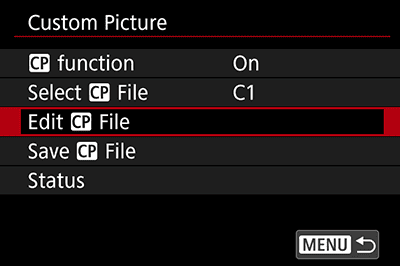
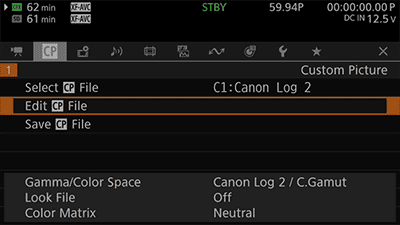
  3. 3. Select a CP file (C1-C20) from [Select CP File] in the [Custom Picture] menu, and then choose [Edit CP File].
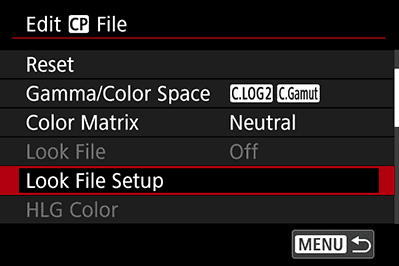
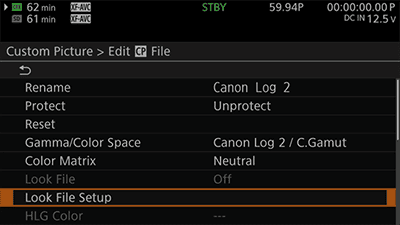
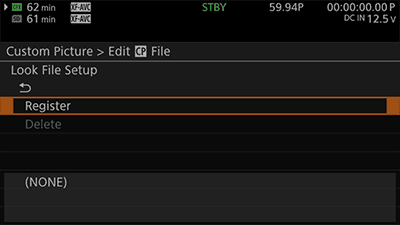
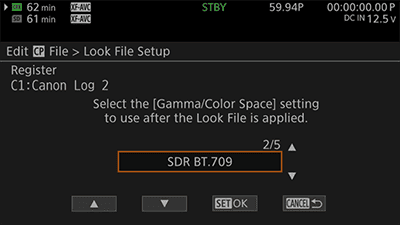
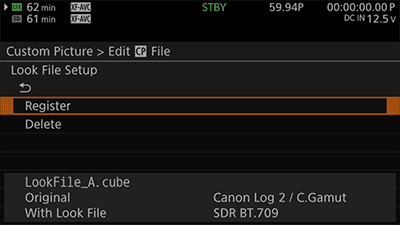
  4. 4. Depending on the shooting settings in the [Gamma/Color Space] menu, select either [Canon Log 2/C.Gamut] or [Canon Log 3/C.Gamut], and then choose [Look File Setup].*1
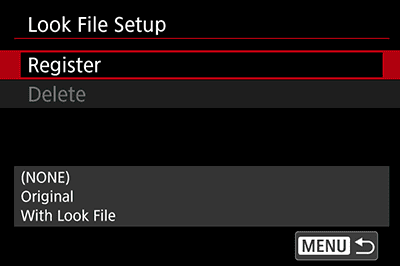
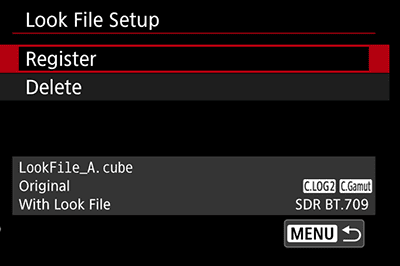
  5. 5. Choose [Register]. *2
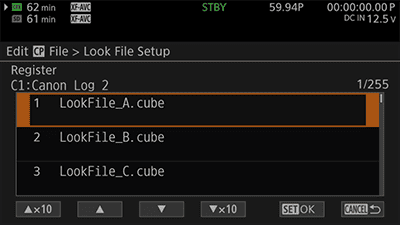
  6. 6. Select a LUT.
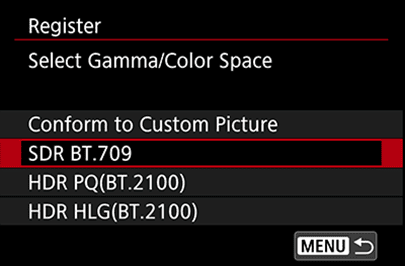
  7. 7. Select SDR BT.709 in Gamma/Color Space after applying the LUT.
  8. 8. Make sure that the name of the registered LUT is displayed in the [Look File Setup] window.
  9. 9. Confirm that the LUT is applied to the Live View image, then start shooting normally.
  1. *1 When registering LUTs to a CP file, be sure to cancel file protection before registering.
  2. *2 With some camera models, only up to 20 LUTs can be displayed even if more than 20 LUTs are registered on the memory card.